
How USB-C works and why one cable charges fast
All USB-C cables look the same, but they aren't: we explain the e-marker chip and why one charges at 240W while another barely reaches 15W.
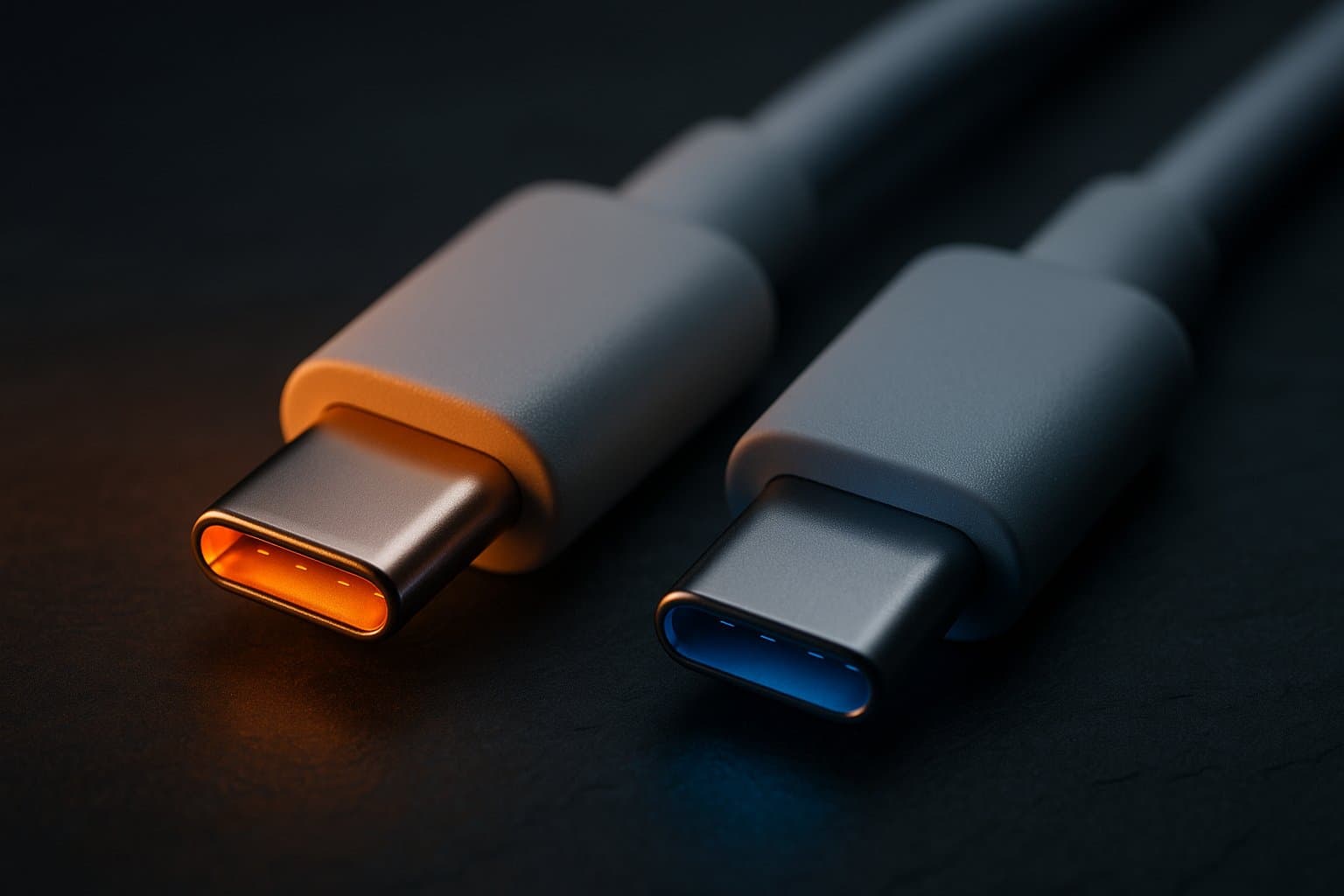
You have two USB-C cables in the drawer. They look identical from the outside: the same oval, reversible connector on both ends. But one charges your laptop in an hour, and the other leaves it almost as empty after a whole night. It's not magic, and it's not a "broken" cable: despite sharing the exact same shape, on the inside they can be radically different. Understanding why is the best way to stop buying the wrong cable.
USB-C is a connector, not a promise
It's worth starting with what the words "USB-C" mean exactly, because that's where the misunderstanding is born. "USB-C" doesn't describe what a cable does: it describes the shape of the plug, and nothing more. It's that small oval, reversible connector that replaced the old rectangular USB-A and micro-USB. The only thing that name guarantees is that the connector fits; it says nothing at all about how much charge or how much data the cable can move.
And that's the trap: behind that very same plug, very different cables can hide. One transfers data at 480 megabits per second and another at 80 gigabits; one delivers 15 watts of charge and another 240. The outer shell is identical; what they carry inside is not. The connector is the packaging, not the contents — which is why two cables that look like twins can behave in opposite ways.
For basic tasks none of this matters —any USB-C cable will charge your phone— but the moment you demand charging or data speed the differences become huge. Think of USB-C as a lane on a highway: everything from a bicycle to a truck can travel down it, and the lane alone doesn't tell you which one you got.
In short, USB-C is the current standard for cables and connectors, and its great strength is that small, symmetric, reversible plug that goes in either direction. But, unlike the connector, "USB-C" doesn't define speed or power: that's decided by the protocols traveling inside —USB 3.2, USB4 or Thunderbolt for data, and USB Power Delivery for charging—. And those are exactly what we'll talk about next.
Power Delivery: the invisible negotiation
Modern USB-C charging works thanks to a protocol called USB Power Delivery (USB-PD). When you plug in the charger, the device and the source "talk" within milliseconds to agree on the highest voltage and current both can handle safely. Instead of the rigid 5 volts of old-school USB, Power Delivery can jump to 9, 15, 20 and even —in its latest version— 28, 36 and 48 volts.
Early versions of PD reached up to 100 watts (20 V at 5 A), enough for most laptops. The PD 3.1 revision, published in 2021, introduced the so-called Extended Power Range (EPR) and pushed the ceiling to 240 watts at 48 V and 5 A: gaming-laptop and monitor territory. But there's a key detail: to move all that energy without the cable becoming a hazard, the source and the device aren't enough. The cable itself has to prove it's up to the job. And that's where a tiny chip comes in.
The negotiation staircase
From a fixed 5 V to 48 V · up to 240 W (at 5 A)
The e-marker chip: the cable's ID card
Inside the connector of the more capable USB-C cables lives a small component called an e-marker (electronic marker). It's a chip that stores the cable's "spec sheet": how much current it tolerates, what data speed it reaches, which USB version it supports. When you plug the cable in, the charger queries it and reads that sheet before deciding how much power to release.
Here's the rule that explains the drawer mystery: the USB standard requires that any cable able to carry more than 3 amps must include an e-marker. If the charger doesn't detect that chip —because the cable is cheap and lacks it— it refuses to deliver more than 3 A, capping charging at about 60 watts. To reach the 240 W of EPR, the cable needs a specific e-marker declaring it can handle 5 A at voltages up to 48 V. Without that chip, it doesn't matter how powerful your charger is: the cable rules, and it rules downward. It's the same safety logic any well-designed electronics applies, as we saw when doing the reverse engineering of a USB charger.
The e-marker gate
The charger asks · the cable answers
With e-marker
5 A · up to 240 WNo e-marker
capped 3 A · 60 WAnd data is a whole separate story
Charging speed is only half the issue; data transfer is an independent axis. A USB-C cable can internally be a humble USB 2.0, limited to 480 megabits per second, or a USB4 version 2.0 capable of 80 gigabits: a difference of more than 160 times, with the same plug. It's perfectly possible —and very common— for a cable to charge beautifully at 240 W yet copy files painfully slowly, because it's optimized for power and only carries the basic data lines.
That's why the cable that comes "free" with a charger is usually USB 2.0 for charging: perfect for feeding the phone, useless for dumping an external drive at full speed. If you connect a fast SSD or a monitor through that cable and it's slow, it isn't the device: it's the cable that lacks the conductors and the e-marker for more. The same applies to USB-powered accessories, like when we built a USB charger for the car: the available current depends on the whole chain.
Power and data don't move together
Same connector · four very different cables
How to tell which cable you're holding
The good news is that the body that standardizes USB, the USB-IF, reacted to the chaos. Since 2021 it has promoted certification logos that state, in watts and gigabits, what the cable can do: you'll see marks like "60W", "240W" or combined ones such as "40Gbps / 240W" printed on the cable body itself or on its packaging. The standard even requires labeling the data speed on all cables except the most basic USB 2.0 ones.
Decode the cable in 2 numbers
What the USB-IF prints on the cable body
Practical rules to avoid mistakes:
- To charge a powerful laptop, look for a cable that explicitly says 100W or 240W. Those carry an e-marker for sure.
- To transfer data seriously (SSD, video), check the gigabits: 10, 20, 40 or 80 Gbps. A cable with no data figure is usually USB 2.0.
- Distrust the unmarked cable. If it declares nothing, it's almost certainly basic charging and slow data.
- An "all-terrain" cable (240W + 40Gbps) exists, but it's the most expensive: you don't need it for everything.
In the end, the USB-C cable stopped being a simple wire and became a component with its own intelligence. Understanding that silent negotiation between charger, chip and device is what separates charging in one hour from charging in five. And if you want to keep digging into the hardware we use every day, you'll enjoy our comparison of ESP32, Arduino and Raspberry Pi Pico, where the same idea —same appearance, very different capabilities— shows up again.
References
Categories
The books · born from this blog

Atahualpa con su abrigo de pelo de murciélago
y otras 49 historias verdaderas que parecen mentira
Available on Amazon
Tocar madera
Pequeña historia de las supersticiones que el mundo no ha podido soltar
Available on Amazon
100 futuros
Cien escenarios del mundo que viene con la inteligencia artificial
Available on AmazonYou may also like

How a Lithium Battery Works and the 1% Myth
The lithium battery powers your phone and your electric car. Here is how it works inside and why the percentage you see is never quite exact.
How Apple's AirTag ACTUALLY Works
Apple's AirTag doesn't transmit over long distances like many believe; here's how it really finds lost items using BLE and a vast Find My network.
How to make a USB car charger (car) and how a DC voltage reducer works
When my car charger died, I took it apart to show how to build a USB car charger and how a DC voltage reducer works using the MC34063 chip.